

Classroom AV technology now decides whether a lesson reaches every student in the room, and too often nobody notices when it quietly fails. The student in the back row squints at a washed-out projector image. The teacher strains her voice over a rattling ventilation unit by second period. A guest lecturer joins by video, and half the class cannot hear him. None of it shows up on a report card, but all of it shapes what students actually learn.
The stakes are human before they are technical. Acoustics researchers writing for the Acoustical Society of America point out that children are not fully effective listeners in noisy, reverberant environments until about age 15. In other words, the youngest learners are most dependent on a room that delivers clear sound and least able to compensate when it does not.
Teachers pay a price, too. In a study of more than 2,500 people published in the Journal of Speech, Language, and Hearing Research, 11.0% of teachers reported a current voice problem compared with 6.2% of nonteachers, and 57.7% of teachers reported a voice disorder at some point in their lives, roughly double the rate of the general population. A classroom that forces educators to shout over noise is not just uncomfortable. It is an occupational hazard.
If you are the technology director, facilities manager, or program lead accountable for these rooms, you already know the pressure. Leadership wants modern, hybrid-ready classrooms. Teachers want technology that works the first time, every time. And you are the one who hears about it when a lesson stalls, an integration breaks, a connected device opens a security gap, or a vendor stops returning calls after the install.
The good news is that these risks are well understood and entirely manageable. The best classrooms treat display, audio, acoustics, connectivity, accessibility, security, and support as one integrated system, designed carefully and backed for the long term rather than delivered as a one-time project. This guide walks through each layer, with standards and field-tested details that let school and university leaders invest with confidence rather than crossing their fingers. For a look at how these pieces come together across campuses and districts, see our overview of education AV solutions.
What AV Technology Does Every Modern Classroom Need?
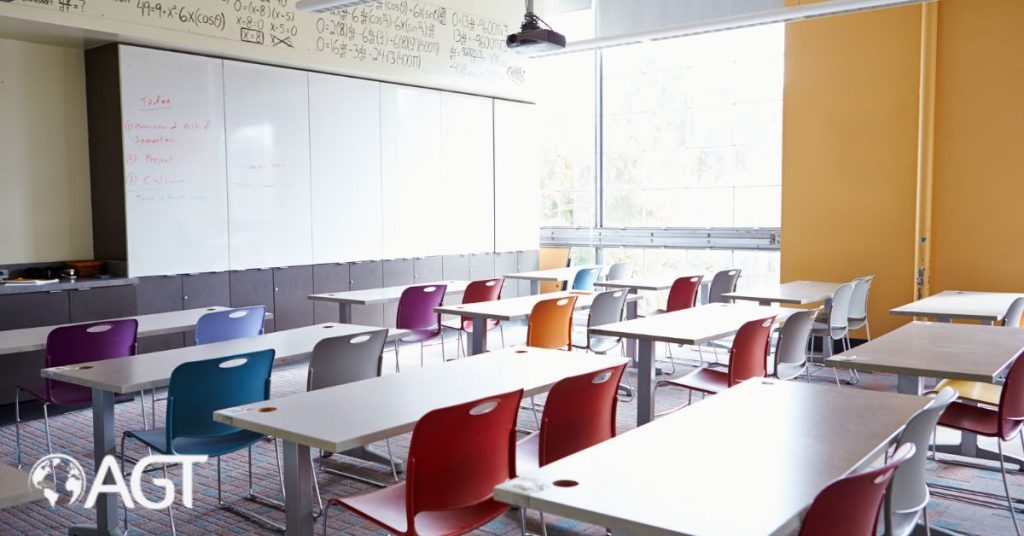
Every modern classroom needs six things: a display sized for the back row, clear voice and program audio, controlled acoustics, simple wireless and wired content sharing, a camera and microphone path for remote participants, and a control system simple enough that a substitute teacher can run it on day one.
The table below summarizes the core layers and what each one has to accomplish. The right products vary by grade level, room size, and budget, but the jobs do not.
Two principles separate rooms that last from rooms that frustrate. The first is standardization. When every classroom on a campus behaves the same way, teachers can move between rooms without having to relearn the controls, and IT can stock a single set of spare parts. The second is designing for the least technical user. If a room requires a five-step startup routine, it will eventually be used as a room with a dark screen.
For the people who answer for these rooms, standardization is also risk management. A known, documented design means fewer surprises during installation, faster fixes when something does go wrong, and a refresh plan that can be budgeted years in advance rather than discovered in a crisis.
For departments planning a phased refresh, our guide to smart classroom technology for departmental upgrades offers a practical roadmap, and this piece on AV design for educational institutions explores how learning spaces are changing for a connected generation.
How Big Should a Classroom Display Be?
A classroom display should be sized so the student in the farthest seat can read the smallest text the teacher actually uses. The professional method for that calculation is AVIXA’s Display Image Size for 2D Content standard, known as DISCAS, which ties image height to viewing distance and the kind of content on screen.
AVIXA’s DISCAS standard replaced older rules of thumb with a method based on human visual acuity. For most lessons, the relevant test is what the standard calls basic decision-making: can the farthest viewer read and understand the content, such as a slide, a worksheet, or a math problem? Detail-critical content, such as medical imaging in a nursing program or fine engineering drawings, is subject to a stricter analytical test that requires a much larger image at the same distance.
In practice, a few patterns hold across most classrooms:
1. Measure from the back row, not the front.
Classrooms are deep, and a panel that looks enormous in the showroom can be unreadable from the last desk.
2. Size content, not just screens.
Teachers who use larger fonts and fewer words per slide effectively extend the reach of every display.
3. Use two displays in wide or deep rooms.
A second screen, or a projector paired with an interactive panel, keeps content readable without forcing students to crane.
4. Mount for the audience and the teacher.
Interactive panels must be low enough for the teacher and students using wheelchairs to reach the top of the writing area, yet high enough for the back row to see the bottom of the image. That tension is one reason larger rooms often pair an interactive panel with a second, higher display.
Interactive flat panel or projector? Interactive panels have become the default in many K-12 rooms because they combine display, touch, and annotation in a single device, with no lamp to replace. Projectors still make sense when a room needs a very large image on a modest budget. One detail worth knowing: the Acoustical Society of America lists noisy projectors and computers among the sources that degrade classroom listening conditions, so quiet operation belongs on the spec sheet alongside brightness.
To compare leading options, explore Newline interactive boards and SMART interactive displays. For the resolution question, this explainer on 4K versus 1080p covers when the upgrade pays off, and this guide to understanding aspect ratio helps teachers prepare content that fills the screen properly.
Do Classrooms Need a Sound System?
Most classrooms benefit from a sound system that gently amplifies the teacher’s voice and evenly distributes media across the room. The goal is not loudness. It is consistency, so the student in the back corner hears the lesson as clearly as the student in the front row.
The benchmark comes from acoustics research. According to the Acoustical Society of America, children need the teacher’s voice to arrive at least 15 decibels above the background noise throughout the room. Without help, the voice drops off with distance, while the noise of fans, hallways, and fidgeting remains constant, so the students farthest from the teacher receive the weakest signal. A well-designed system closes that gap.
A typical classroom audio system includes:
• A wearable teacher microphone, usually a pendant or headset, to keep the voice steady as the teacher moves around the room.
• A pass-around or student microphone so that questions from the class reach remote participants and are recorded.
• Distributed ceiling or wall speakers that spread sound evenly rather than blasting it from the front.
• Digital signal processing that manages levels, prevents feedback, and blends voice with laptop or video audio.
The health case is as strong as the learning case. With teachers reporting voice problems at nearly twice the rate of other workers, voice reinforcement functions as workplace protection. Researchers have even studied amplification as a treatment option for teachers with existing voice disorders.
Two cautions keep a sound system from doing more harm than good. First, amplification cannot rescue a room with poor acoustics. In a reverberant room, a louder voice simply produces louder echoes, which is why acoustic treatment comes first. Second, adding amplification changes your accessibility obligations. Under the ADA Standards, classrooms count as assembly areas, and an assembly area that provides audio amplification generally must also provide an assistive listening system, as explained in the accessibility section below.
For a deeper look at how speech clarity is engineered into a space, see our article on audio design principles.
How Do Classroom Acoustics Affect Learning?
Classroom acoustics determine whether students can understand speech, which is how most teaching still happens. Too much background noise buries the teacher’s voice, and too much reverberation smears words together, so students miss content even when the volume seems fine.
The U.S. benchmark is ANSI/ASA S12.60, the national standard for classroom acoustics developed by the Acoustical Society of America with support from the U.S. Access Board. The Educational Audiology Association summarizes its core targets for unoccupied classrooms:
The association adds a detail many design teams overlook: classrooms should be built so they can be adapted to a 0.3-second reverberation time for children with hearing loss or other special listening needs. Planning for that flexibility now is far cheaper than retrofitting a room after a student with an individualized education program enrolls.
The students most affected by poor acoustics include those with permanent or fluctuating hearing loss, which is common among young children with ear infections, as well as students with auditory processing disorders, learning disabilities, attention deficits and those learning in a second language. In many classrooms, that describes a meaningful share of the roster.
Meeting the standard comes down to a few well-understood moves:
1. Treat the ceiling first.
Large, flat, hard surfaces cause most reverberation. A high-performance acoustic ceiling does the heaviest lifting.
2. Add wall absorption where sound bounces.
Panels on the rear and side walls stop echoes from returning to the front of the room.
3. Quiet the mechanical systems.
HVAC units, plumbing, and even lighting ballasts are common sources of noise. Mechanical noise is far easier to design out than to fix later.
4. Mind the doors and corridors.
Hallway noise leaks through gaps around doors and through shared ceiling spaces.
5. Choose quiet AV equipment.
Projector fans and computer cooling add to background noise in the very rooms where AV is supposed to help.
Acoustics and AV are inseparable. A sound system tuned for a treated room delivers clear speech at modest volume. The same system in an untreated room simply makes the echo louder. Our overview of what acoustics means in commercial AV design explains how integrators coordinate the two.
How Should Teachers Share Content and Teach Hybrid Lessons?
Teachers should be able to put any device on the main display within seconds, wirelessly or via a single cable, and bring remote learners into the room with cameras and microphones that capture both the teacher and the class. If any of that takes more than a minute, it will not happen consistently.
1. Content sharing
Wireless presentation lets a teacher walk the room while sharing from a tablet, and lets students push their work to the front for discussion. Keep a wired USB-C or HDMI connection at the teaching station as a fallback, because the day the wireless network struggles is always the day of the big presentation. Document cameras still earn their place in science, art and math rooms, where showing a physical object or a hand-worked problem beats any slide.
2. Cameras and microphones for hybrid learning
Remote students need to see the teacher, the board, and ideally the class, and they need to hear classmates’ questions, not just the teacher’s answers. A camera on the teaching wall with automatic presenter tracking, paired with ceiling microphones that pick up student voices, makes remote participation feel like a seat in the room rather than a view from the hallway. Our explainer on how video conferencing works covers the building blocks, and a coordinated video collaboration strategy keeps every classroom consistent.
3. Lecture capture
Recording lessons lets students review difficult material, supports learners who miss class, and gives faculty a library of reusable content. The same camera and microphone system that serves hybrid teaching usually supports capture with little extra hardware.
4. Control
A single touch panel or button that powers the room, selects the source, and sets the volume is the most underrated piece of classroom AV. Scheduled shutdowns save energy and extend equipment life. Our article on the future of AV control systems explores how modern control platforms simplify the teaching experience.
Specialized programs raise the bar further. Nursing and medical schools, for example, rely on multi-camera recording and real-time debriefing in simulation suites, a topic we cover in detail in designing AV for university simulation labs.
What Does the ADA Require for Classroom AV?
Under the 2010 ADA Standards, classrooms are assembly areas, and an assembly area where hearing is integral to the space generally needs an assistive listening system once it provides audio amplification. Accessible signage, receivers, and reachable controls follow from that requirement.
The definitions matter more than most buyers realize. The Standards define an assembly area as a space used for educational, civic or entertainment gatherings, and the definitions section of the 2010 ADA Standards names classrooms and lecture halls specifically. Section 219 then requires an assistive listening system in each assembly area where audible communication is integral to the use of the space, with an exception: outside of courtrooms, the system is not required where audio amplification is not provided. The Hearing Loss Association of America’s compilation of the 2010 Standards gathers these provisions in one place.
That exception creates a practical trigger worth flagging in every project. The moment a classroom gains a voice reinforcement system, it typically takes on assistive listening obligations, including:
• Receivers. Rooms with 50 or fewer seats need at least two receivers, and both must be hearing-aid-compatible via neck loops.
• Signage. Each covered room must display signs with the International Symbol of Access for Hearing Loss so students and visitors know the system exists.
• Technology choice. Induction loops, infrared and radio-frequency systems all qualify. Infrared stays contained within the room, which can matter where confidentiality is a concern.
Compliance is the floor, not the ceiling. Inclusive classroom AV also means:
• Captions on displayed video and in hybrid sessions, which help students who are deaf or hard of hearing, English learners, and anyone sitting far from the speakers.
• Reachable controls and connections, so a teacher or student using a wheelchair can operate the room and share content independently.
• Interactive panels at usable heights, or height-adjustable mounts, so every student can come to the board.
• Compatibility with personal hearing technology, such as the remote microphone systems many students with hearing loss already use.
Accessibility rules vary by state, and some state codes go further than the federal Standards. Confirm local requirements early, before the AV design is locked.
How Do You Keep Classroom AV Secure and Reliable?
Treat every networked display, camera, microphone and control panel as an IT endpoint, because in a modern school that is exactly what it is. Then back the rooms with monitoring and a service plan, so problems are fixed before a teacher discovers them in front of 30 students.
Schools are an attractive target. The Cybersecurity and Infrastructure Security Agency describes K-12 organizations as “target rich, cyber poor” and notes on its K-12 cybersecurity resource page that schools experience, on average, more than one cyber incident per school day. The agency also publishes guidance to help districts buy technology that is secure by design, a useful lens for evaluating classroom AV vendors.
For classroom AV, that translates into a handful of disciplines:
1. Segment the network
Classroom displays, cameras, and control systems belong on a dedicated, monitored network segment, separated from student information systems.
2. Lock down devices
Replace default passwords, disable unused services and manage devices centrally rather than room by room.
3. Control cameras and microphones
Students and families deserve clear indicators of when a room is recording or streaming, and a policy for how recordings are stored.
4. Patch on a schedule
Firmware updates close vulnerabilities, but only if someone tests and applies them, ideally during breaks rather than mid-semester.
These topics are covered further in understanding and solving AV design security challenges, and the infrastructure side is explored in building resilient AV infrastructure.
Reliability is the other half of trust. The fastest way to lose teacher confidence is a dead room at 8:00 a.m. with no one to call. Remote monitoring flags offline devices before the first bell, standardized room designs make troubleshooting predictable, and a defined service plan means a failed projector does not wait until summer. Clear AV support capabilities and these best practices for maintaining and upgrading AV systems help institutions keep every classroom ready for instruction.
This is the part of classroom AV that rarely appears in a product demo, and it is where many projects quietly go wrong. Institutions that pair careful integration with a managed video conferencing program shift the burden of monitoring, patching, and escalation onto a partner whose job is to keep rooms secure and running, instead of leaving an already stretched IT team to absorb it.
How Should Schools Plan and Budget a Classroom AV Upgrade?
Start with how teachers actually teach, standardize a small set of room types, and budget for the full life of the system rather than just the purchase. Upgrades that begin with a product catalog tend to end with rooms that look modern and get used like the old ones.
A disciplined plan usually follows these steps:
1. Listen to teachers and students.
Observe lessons, survey faculty, and note the workarounds people already use. A teacher who props a laptop on a stool to reach the projector cable is telling you what the room needs.
2. Audit what you have.
Catalog displays, audio, network drops, power, and acoustic conditions room by room. The audit usually reveals recurring patterns that one design decision can fix across many rooms.
3. Define two or three room standards.
A standard classroom, a large lecture or flexible room, and a specialty space, such as a lab or simulation suite, cover most needs. Standards simplify training, spare parts, and support.
4. Pilot before you scale.
Build one room per standard, let teachers use it for a few weeks, and refine the design before rolling it out.
5. Phase the rollout around the calendar.
Summer and winter breaks are prime installation windows. Plan procurement early so equipment arrives before the window opens.
6. Budget for the lifecycle.
Include licenses, warranties, monitoring, service, teacher training, and an eventual refresh, not just hardware and installation.
Integration risk deserves its own line in the plan. Most classroom failures happen at the seams: between the display and the network, the microphones and the video platform, the control system and the room schedule. Insist on a single accountable partner who designs, installs, commissions and supports the whole system, documents every room and tests it end to end before a teacher ever walks in.
Public institutions face their own timing pressures. Funding often arrives with deadlines attached, and projects that are designed and specified in advance can move quickly when money becomes available. For government-funded organizations, this buyer’s guide to spending end-of-year federal budgets on AV offers practical advice on moving fast without cutting corners.
Finally, remember that the cheapest phase to fix a problem is the design phase. Acoustics, power, conduit, and mounting locations are inexpensive to change on paper and costly to change after drywall. Our article on what AV system design is and why it matters explains how a thorough design process protects the investment, and this overview of custom AV solutions shows when a tailored approach is worth it.
What Should a Classroom AV Checklist Include?
A practical classroom AV checklist covers display, audio, acoustics, sharing, hybrid capability, accessibility, security and support. Use it to audit existing rooms or to brief your design team before a project begins.
• Display sized for the farthest seat using the DISCAS method
• Interactive surface reachable by teachers and students, including wheelchair users
• Background noise and reverberation measured against ANSI/ASA S12.60
• Ceiling and wall absorption in place, with quiet HVAC and AV equipment
• Wearable teacher microphone and even speaker coverage
• Student microphones for discussion, recording and remote learners
• Wireless sharing plus a wired fallback at the teaching station
• Camera framing for the teacher, the board and the class
• One-touch control and scheduled shutdown
• Assistive listening system, receivers and signage wherever amplification is installed
• Captions available for video and hybrid sessions
• AV devices on a segmented, monitored network with a patch schedule
• Room standards, teacher training and a quick-start card
• A service plan with defined response times and a refresh schedule
Who Should Design and Support Your Classroom AV?
Choose a partner that treats every classroom as mission-critical, because for your students and teachers it is. The right integrator absorbs the complexity so your team does not have to, brings certified engineering and security discipline to every room and stays accountable long after the ribbon cutting.
That is the role Applied Global Technologies has played for more than 30 years for organizations where failure is not an option, from government agencies and military installations to healthcare systems and educational institutions. Our engineers hold more than 50 industry-recognized certifications, our teams have served more than 40 Fortune 100 clients and completed more than $210 million in government contracts, and we bring that same security-minded rigor to classrooms and training facilities. We design and deliver audiovisual integration, then stand behind every room with proactive monitoring, scheduled maintenance and rapid response. Faculty can focus on teaching, and your IT team is never left holding an unsupported system. You can see how that commitment plays out in our proven capability and our client case studies.
If you are evaluating partners, our guide to hiring AV design consultants outlines the questions that distinguish a dependable long-term partner from a one-time installer. When you are ready for classrooms that simply work semester after semester, without surprises, start the conversation with our team.
FAQs
Is an interactive flat panel better than a projector for a classroom?
An interactive flat panel is usually the better choice for typical classrooms because it combines a bright display, touch and annotation in one device with no lamp to replace. A projector still makes sense when a large room needs a very big image on a limited budget, ideally paired with a quiet, low-maintenance model.
How much background noise is acceptable in a classroom?
The ANSI/ASA S12.60 standard sets a maximum of 35 dBA of background noise in unoccupied classrooms, with reverberation held to 0.6 seconds in rooms up to 10,000 cubic feet. Meeting both targets keeps the teacher’s voice clearly above the noise so every student can follow the lesson.
Do teachers need a microphone in a small classroom?
Even in smaller rooms, a wearable microphone keeps the teacher’s voice consistent for students in the back and reduces vocal strain over a full day of instruction. It also gives remote learners and lesson recordings clean audio that a room microphone alone rarely captures.
What is the easiest way to add hybrid learning to an existing classroom?
Start with a teaching-wall camera that can follow the instructor, plus ceiling or tabletop microphones that pick up student questions, all tied into the school’s standard video platform. Add one-touch controls so teachers can start a hybrid session in seconds without IT support.
Does adding a classroom sound system change ADA requirements?
It often does, because the 2010 ADA Standards treat classrooms as assembly areas and generally require an assistive listening system where audio amplification is provided. Plan for receivers and accessible signage as part of the same project so the room is compliant on day one.