

Patient data moves through far more than electronic health record systems in today’s hospitals. From telehealth carts and patient-room displays to digital signage, collaboration rooms, cameras, microphones, and AV-over-IP networks, connected audiovisual technology can create meaningful opportunities to improve care while also introducing privacy, cybersecurity, and operational risks.
For hospital IT leaders, facilities teams, clinical engineering departments, and administrators, the question is no longer whether AV technology belongs in the healthcare technology strategy. It does. The more important question is whether that technology has been designed, deployed, secured, supported, and monitored in ways that protect patient data without creating friction for clinicians and patients.
A secure AV environment should help care teams communicate clearly, collaborate confidently, and respond quickly without worrying about devices that fail unexpectedly, expose sensitive information, or create unnecessary work for internal IT staff. That is why hospitals increasingly need AV integration partners that understand the stakes of healthcare environments and can provide long-term accountability, not just install equipment and leave.
Applied Global Technologies specializes in healthcare AV solutions that support communication, collaboration, and operational continuity in demanding clinical settings. The right AV strategy can help hospitals modernize their technology environments while keeping patient data, system reliability, and long-term support at the center of every decision.
Why Patient Data Protection Must Include AV Systems
Hospitals rely on interconnected technology to deliver care. Electronic health records, clinical communication platforms, medical devices, security systems, telehealth applications, and audiovisual systems often operate across the same broader technology ecosystem.
That connectivity is valuable, but it also creates a larger security footprint.
Patient data may be displayed in obvious settings, such as a telehealth appointment or a physician-led case review. It can also appear in less obvious places. A command center video wall may show bed availability, patient flow, emergency department status, care coordination alerts, or staff assignments. A conference-room display may show imaging results or patient records during a clinical discussion. A room-control interface may reveal meeting names, patient identifiers, or departmental schedules.
The U.S. Department of Health and Human Services explains that HIPAA-regulated organizations must assess the risks and vulnerabilities that could affect the confidentiality, integrity, and availability of electronic protected health information (ePHI). The HIPAA Security Rule also identifies access control, audit controls, integrity protections, authentication, and transmission security as key technical safeguards. HHS
For hospitals, this means AV infrastructure should not be treated as a separate facilities concern. A network-connected screen, camera, microphone, controller, encoder, or conferencing appliance is part of the larger digital environment that can affect patient data security.
A display is not simply a display when it has an IP address, remote management capabilities, cloud access, wireless connectivity, integrated software, or access to internal hospital networks.
How Hospital AV Systems Can Expose Patient Data
The most visible healthcare cybersecurity incidents often involve ransomware, clinical software, or patient record systems. However, AV systems can create more subtle points of exposure because they are shared across teams, installed in public and clinical areas, physically accessible, and frequently managed by several departments.
A hospital may have hundreds or thousands of connected AV endpoints across patient rooms, conference rooms, training centers, operating suites, security offices, waiting areas, and administrative spaces. Each device may have a different operating system, firmware version, login method, vendor support model, or network configuration.
The risk does not come from AV technology itself. It comes from unmanaged complexity.
1. Telehealth Systems Can Expose More Than Video
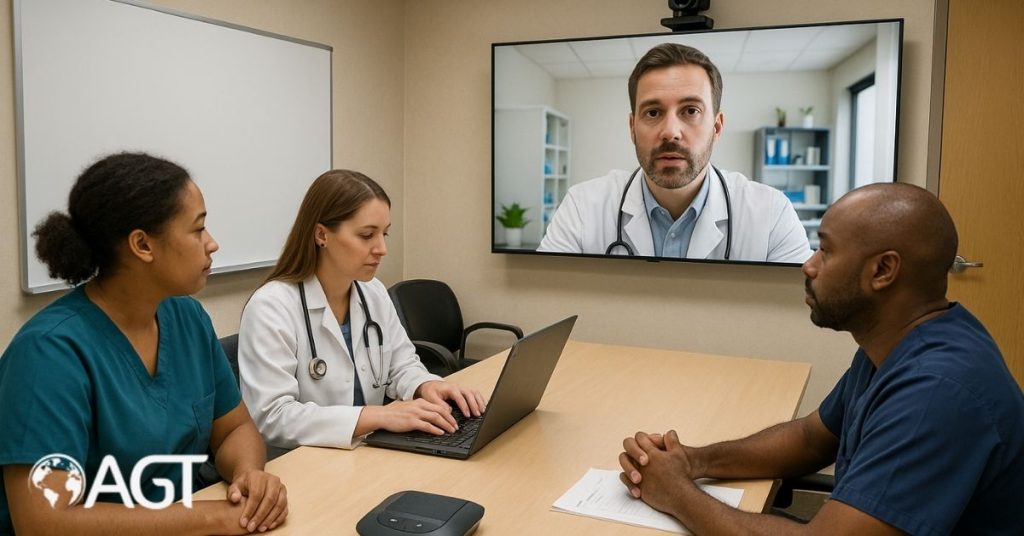
Telehealth systems can improve access to care, facilitate specialist consultations, reduce unnecessary travel, and enable clinicians to collaborate more effectively. However, telehealth sessions often involve live audio, video, chat messages, screen sharing, patient intake information, recordings, and user credentials.
That means telehealth systems may handle significant volumes of patient data.
Common telehealth risks include:
• A telehealth cart that remains signed in after a patient visit
• Reused meeting links or weak meeting passwords
• Unapproved participants joining a virtual consultation
• Screen sharing that unintentionally displays patient records, emails, or browser tabs
• Cameras capturing whiteboards, charts, hallways, or other patients
• Sessions recorded without a documented purpose, appropriate consent, or secure retention policy
• Shared devices that retain cookies, cached files, call logs, or saved passwords
• Unsecured wireless connections used by mobile telehealth devices
HHS recommends that healthcare providers use a risk analysis to guide telehealth privacy and security practices. Its guidance also recommends encrypted connections, secure, up-to-date devices, patient and participant verification, and careful handling of recordings. If recordings are needed, providers should obtain patient consent and use appropriate safeguards for storing and transmitting the content.
One of the most important operational issues occurs after a telehealth visit ends. Staff may believe a session is complete because the patient has left the room, but the device may still be logged in, the microphone may remain active, or the display may still show prior content.
A secure telehealth workflow should include a reliable end-of-session process. That process should close the meeting, clear the screen, sign the user out, confirm the recording status, and ensure the device is ready for the next patient without leaving any patient data behind.
2. Shared Displays Can Cause Accidental Patient Data Disclosures
Not every patient data exposure results from a cyberattack. Some of the most preventable incidents happen when sensitive information is visible to the wrong people.
Consider a clinical case review taking place in a glass-walled conference room. A physician may present imaging, lab results, treatment notes, or patient identifiers to a care team. If the display remains active after the meeting, a visitor, contractor, staff member, or passerby may see information that should not be visible.
The same challenge can occur in:
• Nurses’ stations
• Emergency department operations areas
• Care coordination offices
• Registration areas
• Training rooms
• Executive conference rooms
• Clinical education spaces
• Command centers
• Hallway-adjacent meeting rooms
A simple source-selection error can route protected information to the wrong display. A wireless presentation gateway may allow an unauthorized user to connect. A shared computer may retain browser history, screenshots, cached credentials, or downloaded files after a session.
Hospitals should evaluate both technical and physical controls. It is not enough to secure the network if a screen faces a public walkway. It is not enough to require a login if staff leave patient information displayed after a meeting.
A strong approach includes screen timeouts, automatic logoff policies, privacy-aware display placement, secure wireless sharing, controlled meeting-room access, and clear procedures for ending a clinical collaboration session.
3. AV-Over-IP Can Expand the Attack Surface
AV-over-IP technology allows hospitals to distribute audio, video, control signals, and content across standard network infrastructure. This can simplify expansion, centralize management, reduce cabling complexity, and support flexible communication across multiple departments or buildings.
It also turns AV endpoints into network-connected assets.
An AV-over-IP system may include encoders, decoders, network switches, digital signal processors, cameras, touch panels, wireless presentation devices, digital-signage players, video conferencing appliances, and management platforms. Each component can introduce its own credentials, firmware, management interface, and security requirements.
The Cybersecurity and Infrastructure Security Agency has warned that connected medical technology and communication technology can create opportunities for unauthorized lateral movement across hospital networks. CISA recommends healthcare organizations maintain accurate device inventories and use network segmentation to isolate systems and control communications between network segments.
This matters because an attacker may not begin by targeting a hospital’s clinical systems. They may first look for a less protected device with weak credentials, outdated firmware, or unnecessary network access.
For example, a digital-signage player installed years ago may have an exposed web interface. A video conferencing appliance may still use default credentials. A touch panel may be connected to a broader network segment than it needs. A vendor remote-access account may remain active long after the original project is complete.
A poorly secured AV endpoint can serve as a path to more sensitive systems. That is why secure network design should be part of AV planning from the beginning.
4. Cameras, Microphones, and Recordings Require Strict Governance
Cameras and microphones can support telehealth, remote observation, safety, training, procedure documentation, emergency communication, and operational visibility. They can also capture highly sensitive patient data, private conversations, clinical activity, and confidential operational information.
The risk is not limited to unauthorized viewing. It can also involve:
• Inappropriate camera placement
• Overly broad access to live feeds
• Weak passwords or shared administrator accounts
• Excessive recording retention periods
• Misconfigured remote viewing
• Insufficient access logging
• Unclear notification or consent procedures
• Lack of accountability for who can activate, view, download, or share recordings
A camera used for patient observation may unintentionally capture computer monitors, paper charts, staff discussions, or family interactions. A microphone installed for a conference room may remain active after a clinical discussion. A recording system may preserve content longer than necessary because no one has assigned ownership for retention policies.
Hospitals should define clear rules for camera placement, user permissions, recording, retention, storage, deletion, and incident response. They should also understand the metadata their systems retain. Even when recording is disabled, some systems may preserve call logs, device logs, configuration backups, diagnostic snapshots, user profiles, or meeting information.
That information may not contain a full clinical record, but it can still create privacy, operational, or security concerns.
Essential AV Security Controls for Protecting Patient Data
Protecting patient data requires a layered strategy. Encryption alone is not enough. Passwords alone are not enough. A secure system combines strong network architecture, device hardening, access control, monitoring, staff training, vendor accountability, and lifecycle management.
Hospitals should view AV security as an ongoing operating model, not a one-time installation task.
1. Maintain a Complete AV Asset Inventory
A hospital cannot protect devices it does not know it has.
AV inventory management is challenging because systems may be acquired through capital projects, facilities upgrades, clinical initiatives, construction teams, departmental budgets, donor-funded programs, or vendor agreements. As a result, IT teams may not have complete visibility into every display controller, media player, camera, telehealth cart, or conferencing appliance connected to the network.
A complete AV asset inventory should include:
• Device manufacturer, model, serial number, and physical location
• Departmental owner and technical owner
• IP address, MAC address, and network segment
• Firmware and software version
• Remote access and cloud-management status
• Administrative access method and account owner
• Type of patient data displayed, stored, transmitted, or accessed
• Vendor support status and end-of-support date
• Last patch date
• Last security review date
• Device criticality and clinical impact if unavailable
CISA recommends establishing an accurate device inventory before implementing network segmentation and other healthcare cybersecurity protections.
An inventory is more than a spreadsheet. It helps hospitals identify unsupported equipment, prioritize high-risk systems, respond to vulnerability notices, coordinate lifecycle replacements, and isolate affected endpoints during a security incident.
For large healthcare systems, centralized management can make this process more practical. Centralized AV device management and remote monitoring can help teams gain visibility across many rooms, departments, or facilities while reducing the burden of manual status checks.
2. Segment AV Networks From Clinical Networks
Network segmentation is one of the most valuable security controls a hospital can implement. It limits unnecessary communication between systems and helps contain the impact of a compromised device.
Rather than placing all connected technology on a single, broad network, hospitals can separate systems by function, risk, and required access.
Potential segments may include:
• Public digital signage
• Guest and patient Wi-Fi
• Corporate meeting-room AV
• Clinical collaboration systems
• Telehealth devices
• Security cameras and access-control equipment
• Building-management systems
• Medical and Internet of Medical Things devices
• Core clinical applications
• Electronic health record systems
The goal is to allow only necessary communication. A public-facing signage player should not have access to clinical systems. A telehealth cart may need access to an approved platform, identity provider, and support tools, but it should not have unrestricted access across the hospital network.
Network segmentation can also support business continuity. If an AV device is suspected of compromise, the hospital may be able to isolate that system or segment while preserving access to critical clinical applications and communications.
The right network design depends on the hospital’s existing infrastructure, care workflows, regulatory requirements, and technology stack. This is where experienced AV engineering and IT collaboration are essential. Applied Global Technologies’ AV services include design, integration, managed services, and video conferencing support for high-demand healthcare and mission-critical environments.
3. Use Unique Accounts and Role-Based Access
Shared accounts may be convenient during installation, but they create lasting accountability problems.
If multiple people use a single administrator login to manage a conferencing platform, digital signage system, or telehealth device, the hospital may not know who changed a setting, downloaded a file, viewed a recording, or enabled remote access. It also becomes harder to remove access when an employee changes roles or a contractor completes a project.
Hospitals should use unique user accounts whenever possible. Access should be assigned according to role and operational need.
For example:
• Clinicians may need access to start approved telehealth sessions.
• AV technicians may need device configuration permissions.
• IT administrators may need access to network and identity management.
• Facilities staff may need limited operational controls.
• Vendors may require time-limited access for approved maintenance.
• Compliance teams may need access to audit logs and system documentation.
HHS identifies person or entity authentication as a key HIPAA technical safeguard. It also recommends multi-factor authentication as a useful security measure for protecting telehealth accounts.
Good access governance should include:
• Removing default usernames and passwords before deployment
• Using individual administrator accounts instead of generic credentials
• Enabling multi-factor authentication for high-risk and remote access
• Limiting access according to the principle of least privilege
• Reviewing permissions regularly
• Automatically removing access when staff leave or change roles
• Restricting vendor access to approved maintenance windows
• Logging privileged activity and configuration changes
This approach protects patient data while also reducing operational uncertainty. When something goes wrong, the hospital can identify what changed, who made the change, and how to restore the correct configuration.
4. Encrypt Patient Data in Transit and at Rest
Encryption helps protect patient data as it moves across networks and is stored. In an AV environment, this may include telehealth video, audio, chat, wireless presentation traffic, recordings, configuration backups, remote support sessions, and device management connections.
The HIPAA Security Rule requires organizations to implement technical security measures that guard against unauthorized access to ePHI transmitted over electronic communications networks.
Hospitals should verify encryption settings instead of assuming they are enabled by default. Procurement teams and technical stakeholders should ask questions such as:
• Is telehealth audio and video encrypted during transmission?
• Does the platform protect meeting links and session access?
• Are remote administration interfaces using secure protocols?
• Is wireless screen sharing encrypted?
• Are recordings encrypted while stored?
• Are configuration backups protected?
• Are vendor support sessions controlled, authenticated, and logged?
• Does the system use current encryption standards that fit the hospital’s security requirements?
Encryption is necessary, but it is not sufficient on its own. A recording can be encrypted and still be exposed if it is stored too long, shared with too many people, or accessed through a compromised administrator account.
Hospitals need policies that address the entire lifecycle of patient data, including creation, access, transmission, retention, archival, and secure deletion.
5. Patch, Harden, and Replace Unsupported Devices
Healthcare organizations often operate technology for long periods because replacing systems can be costly, disruptive, and difficult to schedule around patient care. However, older AV devices can become security liabilities when vendors stop issuing firmware updates or when the technology can no longer support modern security controls.
The Food and Drug Administration has issued guidance on managing cybersecurity vulnerabilities in medical devices after they enter the market. FDA cybersecurity materials also highlight the need for processes related to security testing, update procedures, and patch planning.
While not every AV device is a regulated medical device, hospitals can apply the same operational discipline to connected AV infrastructure.
A lifecycle security process should include:
• Monitoring manufacturer security advisories
• Tracking software and firmware versions
• Testing updates before deployment in critical spaces
• Scheduling maintenance windows that minimize clinical disruption
• Disabling unused ports, services, and wireless features
• Removing unnecessary software and default accounts
• Replacing devices that no longer receive support
• Documenting compensating controls when replacement is delayed
• Reviewing vendor remote access and cloud-management settings
AV updates can be more complex than they appear. A firmware change may affect interoperability with conferencing platforms, room-control systems, digital signal processors, network authentication, or clinical display workflows. Hospitals should coordinate updates among AV, IT, clinical engineering, facilities, and user departments.
This is one reason ongoing support is so important. Applied Global Technologies’ AV support capabilities include proactive monitoring, preventative maintenance, remote diagnostics, software updates, hardware health checks, and customized support models designed to keep critical systems dependable over time.
Secure AV Design for Key Hospital Environments
Security controls should reflect how each space is used. A public waiting-room display, a telehealth cart, an operating-room integration platform, and a clinical collaboration room do not carry the same risk profile.
A thoughtful AV design process considers patient data exposure, network access, physical visibility, user roles, device lifecycle, and downtime tolerance before equipment is installed.
1. Telehealth Rooms and Mobile Carts
Telehealth equipment should be easy for clinicians to use but difficult for unauthorized people to access.
Core safeguards include authenticated user access, secure network connections, automatic logout, restricted recording settings, clear camera and microphone status indicators, and secure physical storage when carts are not in use.
Hospitals should also establish practical workflow standards. Staff should know how to verify participants before discussing sensitive information, close sessions correctly, clear the display, and report suspicious activity.
HHS notes that covered healthcare providers and health plans delivering telehealth services must comply with applicable HIPAA Rules. Organizations should also ensure that technology vendors will enter into a business associate agreement when required.
For hospitals seeking greater reliability, managed video conferencing services can provide proactive troubleshooting, monitoring, software updates, hardware checks, and support tailored to environments where uptime and security cannot be optional.
2. Patient Rooms and Remote Observation Areas
Patient-room AV technology supports care delivery, patient education, entertainment, virtual consultations, communication, and remote observation. Because these spaces involve patients, family members, clinicians, technicians, and visitors, systems must be designed with clear boundaries between patient-facing functions and administrative controls.
Patient-room systems should prevent one patient from accessing another patient’s information. Telehealth or portal sessions should time out automatically. Equipment should not retain previous user credentials. Devices should be physically secure and simple enough for staff to operate correctly under pressure.
If cameras are used for patient observation, hospitals should document why the technology is necessary, who may view feeds, where recordings are stored, how long they are kept, and how patient privacy is protected. Staff should understand when and how cameras are used, while patients and families should receive appropriate communication in accordance with the organization’s policies and applicable requirements.
3. Clinical Collaboration and Conference Rooms
Conference rooms can become high-risk environments for patient data when they host tumor boards, medical training, care coordination meetings, remote specialist consultations, utilization reviews, or clinical case discussions.
Secure collaboration spaces should include:
• Authenticated system access
• Controlled wireless presentation
• Participant waiting rooms or admission controls
• Limited meeting permissions
• Secure recording controls
• Automatic removal of local session data
• Privacy-aware display placement
• Clear visibility into whether microphones and cameras are active
• Simple, repeatable end-of-meeting procedures
Staff training is equally important. Even experienced presenters can accidentally expose patient data through pop-up notifications, browser tabs, email previews, stored files, or an incorrect display source.
A quick pre-meeting check can significantly reduce risk. Before sharing, confirm the active screen, verify participants, close unrelated applications, review the recording settings, and ensure the room display cannot be viewed by unauthorized people.
4. Digital Signage and Public Displays
Digital signage often has less direct exposure to patient data than telehealth or clinical collaboration systems, but it can still introduce cybersecurity and operational risks.
Public displays should not have access to clinical dashboards, patient lists, unrestricted web browsing, or sensitive network resources. Signage players should be configured on appropriate network segments, content management access should be restricted, and devices should be physically protected against tampering.
Hospitals should also establish content governance. An outdated emergency message, an inaccurate wayfinding instruction, an exposed internal screen, or an unauthorized content update can create confusion during already stressful moments.
A secure digital signage strategy should include approved content workflows, role-based publishing permissions, device health monitoring, rapid removal procedures, and a clear owner responsible for reviewing content on public-facing screens.
HIPAA Compliance Requires More Than a Product Label
Hospital leaders should be cautious about claims that a platform or device is “HIPAA compliant.” Technology can support a compliant program, but no individual product can make an organization compliant on its own.
HIPAA compliance depends on how the hospital assesses risk, configures systems, manages accounts, documents policies, trains users, oversees vendors, monitors activity, and responds to incidents.
HHS explains that covered entities and business associates must evaluate risks to ePHI and implement reasonable and appropriate safeguards based on the risks and vulnerabilities they identify.
Before approving a hospital AV project, decision-makers should ask:
• Will the system create, receive, maintain, transmit, display, or provide access to ePHI?
• Does the device store recordings, call logs, cached files, screenshots, or configuration backups?
• Who owns the device and who manages it?
• Who has administrative access?
• Can the system be segmented from sensitive clinical networks?
• Does the vendor provide security documentation and timely updates?
• Is remote support necessary, and how will it be controlled?
• Are audit logs available and retained appropriately?
• Is a business associate agreement required?
• What happens when the device reaches the end of support?
• How will the hospital isolate the system in the event of a cybersecurity incident?
A risk-based approach is more durable than a simple compliance checklist. Hospital technology environments change continuously. New clinical workflows, vendor updates, account changes, network modifications, construction projects, and organizational growth can all alter the security posture of an AV system.
Building a Hospital-Wide AV Security Program
The strongest hospital AV security programs are collaborative. No single department has complete visibility into every risk.
IT may manage the network and identity systems. AV teams may configure rooms, devices, and control systems. Facilities may own infrastructure and construction coordination. Clinical engineering may support connected clinical technology. Privacy and compliance teams may establish patient data requirements. Procurement teams may negotiate vendor obligations. Clinical leaders understand what must work when patient care is on the line.
Hospitals should bring these groups together early, particularly when planning new facilities, major renovations, telehealth expansion, operating-room integration, command-center deployments, digital-signage initiatives, or large-scale conferencing upgrades.
A practical AV security program should focus on three priorities.
First, establish security requirements before procurement. Vendors should be able to explain how their systems handle encryption, identity management, role-based access, logging, remote support, patching, data retention, vulnerability disclosure, and end-of-life planning.
Second, create standardized secure configurations. A telehealth cart or meeting room should not depend on every technician remembering dozens of security settings. Configuration templates can enforce automatic logout, approved network placement, secure administrative access, disabled unused features, controlled recording, and consistent device hardening.
Third, rehearse incident scenarios. If a patient-room device is compromised, who responds? Can the hospital isolate it without interrupting critical care? Who determines whether telehealth remains available? How will users be notified? Can the organization identify whether patient data was displayed, transmitted, stored, or accessed?
These questions are operational, but they are also strategic. They determine whether a hospital can modernize with confidence or whether every new AV deployment adds unmanaged risk.
For organizations that need a single accountable partner across the AV lifecycle, Applied Global Technologies provides design-build integration, video conferencing, managed services, and tailored support for complex, mission-critical environments. The company’s approach is built around helping teams focus on the work that matters rather than troubleshooting technology when time is limited.
Why Long-Term AV Support Protects Patient Data
AV security is not complete when the installation is finished. Devices require patching, monitoring, configuration reviews, account updates, lifecycle planning, and responsive support. Without that ongoing attention, even a well-designed environment can become vulnerable over time.
Hospitals face a difficult reality: internal IT and facilities teams are often under pressure to support a large and diverse technology environment with limited time. The AV system may be only one component of a much broader set of operational responsibilities.
That is where managed AV services can provide meaningful value. Proactive monitoring can identify offline devices, unusual activity, or system health concerns before they disrupt clinical workflow. Regular maintenance can help ensure that firmware, configurations, and equipment performance remain aligned with the organization’s security requirements.
Applied Global Technologies provides managed AV services designed to help organizations reduce unplanned downtime, improve visibility, and maintain reliable technology environments. Its support model includes monitoring, maintenance, troubleshooting, and long-term lifecycle planning for organizations that cannot afford technical surprises.
For hospitals, this type of long-term relationship can reduce more than downtime. It can reduce uncertainty.
When the same trusted team understands the room designs, network requirements, devices, workflow needs, and support expectations across the organization, the hospital has a clearer path to protecting patient data and maintaining reliable communication.
Protect Patient Data Without Compromising Care
Secure AV technology helps hospitals deliver better communication, more efficient collaboration, and dependable patient care without unnecessarily exposing sensitive information. By combining network segmentation, access controls, encryption, device lifecycle management, proactive monitoring, and clear governance, healthcare organizations can strengthen protection for patient data while keeping essential systems available when teams need them most.
Hospitals should not have to choose between modern collaboration tools and strong security. The right AV solutions in healthcare are designed around clinical workflows, privacy requirements, uptime expectations, and the everyday realities of busy care environments, from telehealth rooms and patient spaces to command centers, conference rooms, and public-facing displays.
Contact Applied Global Technologies to see how our healthcare AV specialists can help you plan, integrate, secure, and support AV solutions in healthcare that protect patient data, simplify collaboration, and give your organization greater confidence in every critical communication environment.
FAQs
How can hospitals protect patient data when using AV systems?
Hospitals can protect patient data by using network segmentation, encrypted connections, unique user accounts, multi-factor authentication, regular firmware updates, and centralized device monitoring. They should also define clear policies for access, recording, data retention, remote support, and incident response.
Are telehealth carts and video conferencing systems covered by HIPAA?
Telehealth carts and video conferencing systems may fall under HIPAA requirements when they create, receive, maintain, transmit, display, or provide access to electronic protected health information. Hospitals must assess each system’s use, configure appropriate safeguards, and ensure vendors meet applicable privacy and security obligations.
Why should hospitals secure digital signage and public displays?
Digital signage and public displays can expose patient data if they are connected to clinical systems, improperly configured, or accessible through unsecured management platforms. Hospitals should keep public-facing screens separate from clinical networks, restrict access to content management, and ensure that internal dashboards or patient information cannot appear on public displays.
What AV security controls are most important in hospitals?
The most important controls include maintaining an accurate device inventory, segmenting AV networks, enforcing role-based access, encrypting patient data, patching devices, and monitoring activity. Physical safeguards, such as securing telehealth carts and positioning displays out of public view, are also essential for reducing privacy risks.
How can managed AV services help protect patient data?
Managed AV services can support patient data protection through proactive monitoring, device maintenance, firmware updates, configuration reviews, and faster response to technical issues. This approach helps hospitals maintain secure, reliable AV systems without placing the full burden of ongoing support on internal IT and facilities teams.