

Medical training and simulation refer to a structured learning process that helps healthcare students and professionals gain skills without putting patients at risk. These simulations use realistic environments to mirror clinical settings, allowing learners to practice procedures, decision-making, and communication in a safe, controlled space.
The concept of medical training and simulation has grown beyond basic mannequins. Today, it includes high-fidelity simulations, virtual reality environments, and role-play scenarios supported by audiovisual (AV) technology.
This integration creates deeper engagement and better learning outcomes for individuals preparing to enter or advance in healthcare professions.
How Do AV Solutions Support Medical Training and Simulation?
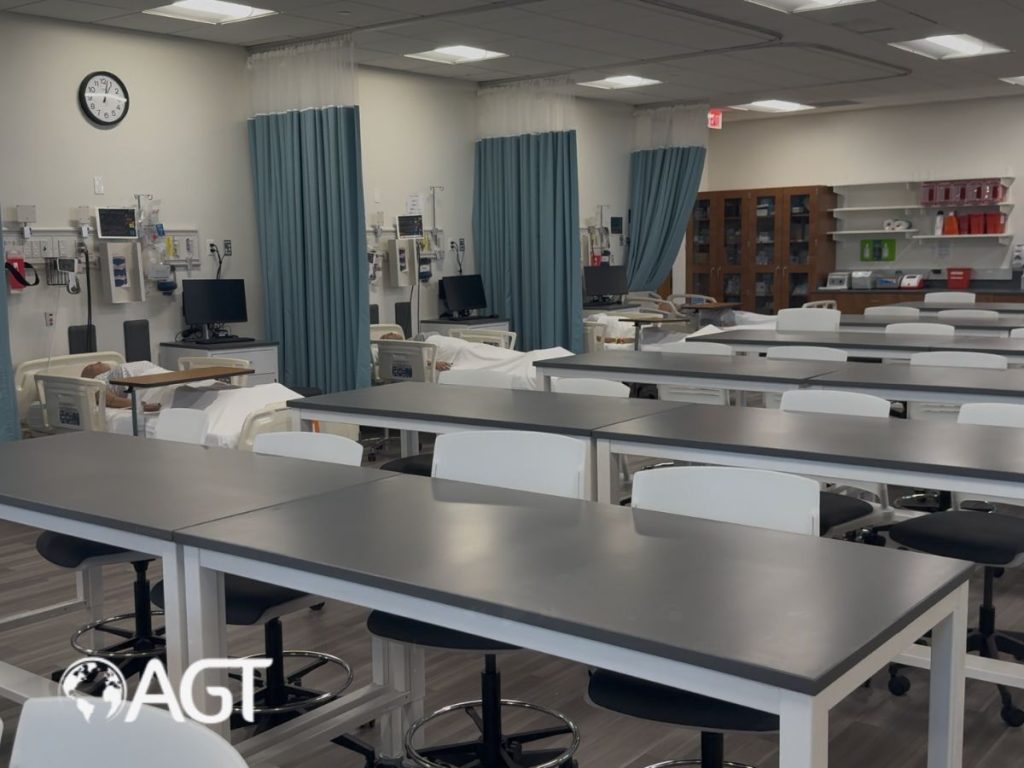
AV solutions are a key part of modern simulation centers. These tools include cameras, microphones, control panels, video playback systems, large monitors, and cloud-based recording tools. They allow for real-time observation, high-quality recording, live streaming, and detailed playback.
In a typical setup, an AV system records a simulation session using multiple camera angles and microphones. These recordings are then used during debriefing, where instructors and students review actions, communication styles, and decision-making processes. The ability to watch and reflect on one’s own performance is a powerful tool in medical training and simulation.
AV systems also allow instructors to observe students remotely, which is especially useful when scaling programs across campuses or working with hybrid learning models. With streaming capabilities, students in remote locations can join simulations live or watch them afterward as part of their curriculum.
Why Are AV Technologies Important in Clinical Education?
Medical training and simulation are most effective when learners feel immersed in the scenario. AV technology brings this immersion to life. With quality sound and video, a simulation can recreate the sensory experience of a real clinical environment.
These tools make it easier to train multiple competencies in a single session. For example, a scenario might involve clinical reasoning, bedside manner, team coordination, and emergency response. AV solutions record these moments in detail so instructors can offer feedback that goes beyond surface-level observations.
Additionally, AV tools make it possible to run complex simulations involving several learners, instructors, or departments. During emergencies, communication is critical. AV systems capture verbal and non-verbal cues that might otherwise go unnoticed.
What Types of AV Tools Are Used in Simulation Centers?
A variety of AV tools are used in simulation-based medical training:
1. Fixed and PTZ cameras
These cameras capture activity from multiple angles. PTZ (pan-tilt-zoom) cameras can be controlled remotely.
2. Microphones
Lavalier, ceiling, and ambient microphones are used to record speech and environmental sound.
3. Displays
Large screens display vitals, scenario instructions, or real-time video feeds.
4. Control panels
These systems allow technicians to manage video feeds, lighting, audio, and recording.
5. Recording software
This software enables automatic session recording, tagging of events, and cloud-based storage.
6. Streaming capabilities
AV systems often include the ability to stream simulations to other rooms or remote learners.
Together, these AV tools help create a flexible environment where medical training and simulation can take place at scale.
How Does AV Technology Enhance Student Learning in Healthcare?
Learning in healthcare requires more than reading textbooks or attending lectures. Students must apply knowledge in high-pressure scenarios. AV-supported medical training and simulation allow them to do just that.
By watching recordings of their sessions, learners can identify patterns in their behavior, catch mistakes they didn’t notice during the simulation, and learn how to communicate more clearly. This is especially helpful for developing soft skills like empathy, leadership, and collaboration.
For example, a student who thought they gave clear instructions during a simulation might see, upon playback, that their words were vague or poorly timed. This insight is more impactful than verbal feedback alone.
What Are the Advantages of Using AV Systems in Simulation?
There are several advantages to using AV systems in medical training and simulation:
1. Better feedback
Instructors can pause and review exact moments during a scenario to provide specific, actionable feedback.
2. Scalability
One simulation session can serve many learners through live streaming or recorded playback.
3. Standardization
All students can watch the same high-quality examples, which helps maintain consistency across programs.
4. Accessibility
Remote students can participate without needing to be in the same location.
5. Debriefing
AV footage supports in-depth debriefing, one of the most valuable parts of simulation-based learning.
6. Documentation
Simulation centers can archive sessions for compliance, review, or research purposes.
These benefits make AV systems an essential part of a modern simulation strategy.
Can AV Systems Be Used for Remote or Hybrid Learning?
AV tools have become especially important in supporting remote learning. Instructors can broadcast live simulations to students anywhere, and learners can interact in real time or view recordings later.
This flexibility means that learners who may not have access to a fully equipped simulation center can still benefit from high-quality training. Remote learning is no longer a barrier to developing clinical skills. In fact, AV tools help bring consistency to training programs across regions.
Medical training and simulation programs that use AV systems for remote participation can also include features like real-time chat, breakout discussions, or instructor commentary. These additions create a more engaging experience for remote learners.
What Challenges Come With Using AV Systems in Medical Training?
Although AV systems offer many benefits, there are also challenges to consider:
1. Cost
High-quality AV setups can be expensive to install and maintain.
2. Complexity
Managing AV equipment requires technical knowledge. Simulation staff must be trained properly.
3. Storage
Video files can take up large amounts of digital storage, requiring careful planning.
4. Privacy
Recording learners requires clear policies on data use, consent, and confidentiality.
5. Adoption
Instructors and students need to feel comfortable using AV systems or they may be underutilized.
These challenges can be managed through strategic planning, training, and choosing user-friendly AV systems.
How Can Institutions Implement AV in Their Simulation Programs?
Here are practical steps to bring AV technology into your medical training and simulation center:
1. Start with a needs assessment
Define your goals. Do you need recording, streaming, or both? How many rooms are involved?
2. Choose scalable equipment
Start small and expand. Mobile carts can be a good first step.
3. Train your team
Simulation technicians, instructors, and faculty need to understand how to use the systems.
4. Create a debriefing process
Build video playback into your regular feedback sessions.
5. Set policies for storage and access
Make sure recordings are stored securely and used responsibly.
6. Monitor progress
Gather feedback from learners and instructors to refine your approach.
Following these steps can help your organization get long-term value from AV systems.
How Do AV Systems Support Team-Based Learning?
Medical training and simulation often involve group scenarios. AV tools can capture team dynamics during high-pressure situations. Reviewing these recordings helps identify communication breakdowns, role confusion, or strengths in coordination.
For example, in a trauma simulation, the AV system might reveal that the team leader gave instructions too quietly, or that a nurse hesitated to speak up. With this insight, the team can work on improving communication and decision-making.
By practicing as a team and reviewing performance together, learners develop not only individual skills but also the ability to work effectively with others in clinical settings.
What Role Does AV Play in Debriefing and Reflection?
Debriefing is one of the most powerful parts of medical training and simulation. It gives learners a chance to talk through their actions, understand what went well, and explore what could be done differently.
AV recordings enhance this process. Instead of relying on memory, learners and instructors can watch key moments together. This helps avoid confusion and encourages honest discussion.
Debriefing with AV playback also supports self-reflection. Students are more likely to accept feedback when they can see the evidence themselves.
How Can Schools Measure the Impact of AV-Supported Simulation?
Schools and training centers can use several methods to evaluate how AV tools are contributing to learning outcomes:
1. Skill assessments
Compare student performance before and after using AV-supported simulation.
2. Confidence surveys
Ask students how their comfort with procedures has changed.
3. Feedback forms
Gather instructor input on how AV tools affect teaching quality.
4. Usage data
Track how often recordings are viewed or reviewed.
5. Team performance metrics
Use scoring tools during group simulations to see improvements over time.
By collecting and analyzing this data, programs can continuously improve their use of AV in medical training and simulation.
What Is the Future of AV in Medical Training?
AV tools are continuing to evolve, and the future of medical training and simulation will likely include:
1. Artificial intelligence
AI may soon help tag key moments in simulations or offer automatic feedback.
2. Mixed reality environments
Combining real-world elements with digital overlays for deeper immersion.
3. Wearable AV gear
Glasses or body cams that give instructors a first-person view of the learner’s perspective.
4. Cloud-based collaboration
Simulation sessions shared between institutions to compare techniques and results.
5. Personalized learning paths
Using AV data to customize training for each student’s strengths and weaknesses.
These developments will make medical training and simulation more interactive, responsive, and effective.
Conclusion
Medical training and simulation are significantly more effective when backed by modern AV solutions. These technologies offer enhanced visibility into learner performance, support clearer communication, and enable instructors to deliver targeted, real-time feedback.
They also help scale training efforts, improve consistency, and make the entire simulation process more measurable and accessible. If you’re involved in medical education, now is the time to explore how AV systems can elevate your training programs.
Contact Applied Global Technologies to see how we can help you succeed with AV solutions in healthcare—and build a smarter, more responsive learning environment for the next generation of healthcare professionals.
FAQs
How do AV systems help in medical training and simulation?
AV systems record and enhance simulation sessions, making it easier to give feedback, support teamwork, and review performance.
Can AV tools be used in small programs or remote settings?
Yes. Mobile and cloud-based AV systems allow even small or remote programs to benefit from high-quality simulations.
Are AV systems difficult to maintain?
Modern AV tools are designed to be user-friendly. With proper training and technical support, they are manageable for most institutions.
Do AV recordings improve learning outcomes?
Yes. Watching playback of one’s own performance helps students understand their behavior and improve skills faster.
What should be included in an AV-equipped simulation room?
Key components include cameras, microphones, displays, recording software, control panels, and secure storage.