

Zoom Rooms have become a regular part of business operations. They support team meetings, client calls, classrooms, healthcare consultations, and more.
As these spaces grow in use, so does the importance of protecting them. That protection starts with one key area: Zoom Room security.
A Zoom Room combines software, hardware, and your company’s network. When those parts work together, they create a smooth experience. But if even one part is not properly managed, it can expose your organization to risks.
This article explains how Zoom Rooms can be targeted, what those risks look like, and what you can do to improve your setup.
Why Are Zoom Rooms a Target for Cyber Threats?
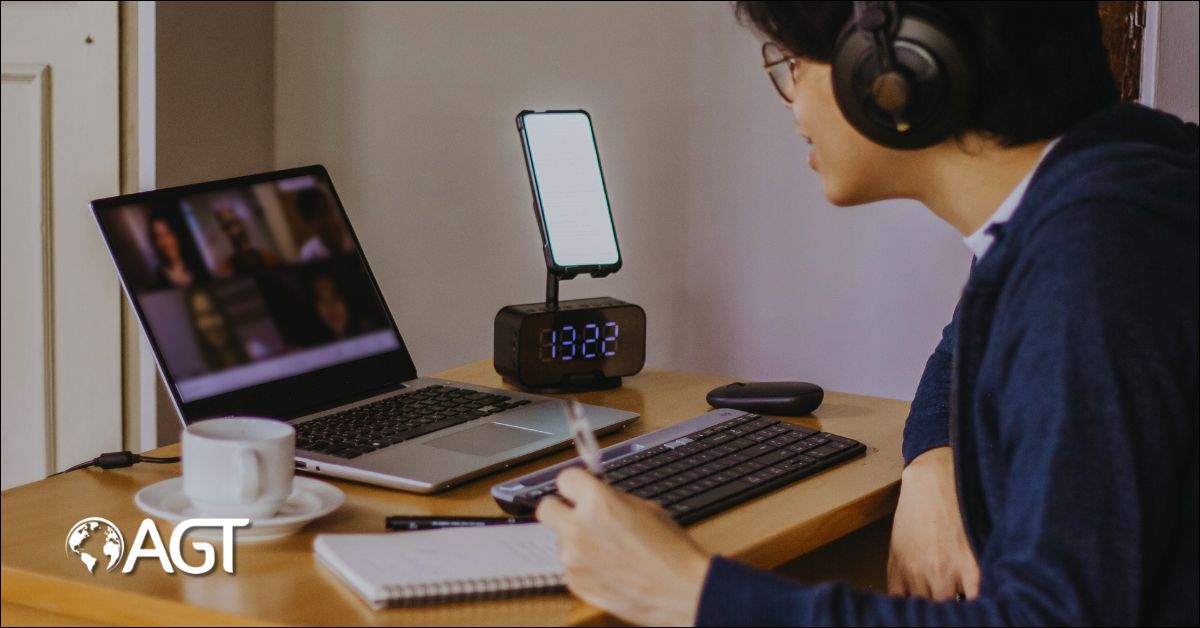
Zoom Rooms are always on. They stay logged in and connected to calendars, cloud services, and internal systems. This makes them useful for daily operations, but also appealing to attackers looking for a way into your network.
Zoom Rooms may seem low-risk, but they are part of your IT environment. If they are left open or unmanaged, they can be used to gather information, interrupt meetings, or launch more serious attacks.
A report from Palo Alto Networks in 2024 found that many video conferencing systems in enterprise settings had at least one security gap that could be used by an attacker. These gaps often come from misconfigured settings or devices that were never updated after installation.
What Are the Most Common Risks in Zoom Room Setups?
Zoom Room security is affected by both technical settings and how people use the system. Here are some of the most common problems:
• Default passwords on controllers or admin accounts
• Devices running outdated software or firmware
• Unrestricted access to Zoom Rooms from the internet or internal network
• Lack of controls over screen sharing and meeting access
• Insecure storage of meeting recordings or user data
According to Greg Thomas, a system integrator who manages Zoom Rooms for large healthcare groups, the most common problem is neglect.
How Can You Strengthen Admin Access for Zoom Rooms?
The Zoom admin portal controls all Zoom Room settings. If someone gets access to that portal, they can change settings, view meeting data, or take over rooms. That is why this part of your setup needs to be protected from the start.
Basic protections:
• Use strong passwords for all admin accounts
• Turn on two-factor authentication (2FA)
• Avoid shared logins. Use individual accounts with clear roles
• Apply role-based access so staff only see the tools they need
Many organizations also use Single Sign-On (SSO). This means users log in through their company email system or identity provider, which allows for better control over who can access what. SSO also makes it easier to remove access when staff leave the company.
Why Are Software and Firmware Updates Important for Security?
Zoom Room devices run on software. This includes the Zoom Room application, controllers, cameras, microphones, and scheduling panels. If that software is outdated, it may contain known issues that an attacker can use.
In one case, a vulnerability in a touch panel display allowed someone to gain access remotely. The patch was released quickly, but many systems remained exposed because updates had not been applied.
What you can do:
• Turn on automatic updates for the Zoom Room app
• Check for firmware updates from device manufacturers regularly
• Assign someone to manage updates across all locations
• Subscribe to Zoom’s updates and security notices
Keeping software current is one of the easiest and most effective ways to protect your systems.
Which Zoom Room Settings Should Be Reviewed for Better Security?
Zoom provides many controls that help reduce the chance of meeting disruptions or unauthorized access. These settings should be reviewed before launching any Zoom Room.
Settings to check:
• Turn on meeting passcodes by default
• Use waiting rooms to screen participants before entry
• Restrict screen sharing to the host
• Turn off file transfers, remote control, and whiteboard features unless needed
• Use authentication rules to limit who can join your meetings
Zoom also allows you to save your preferred settings as templates. This helps apply the same rules to every Zoom Room across your organization.
How Should You Manage Network Access for Zoom Rooms?
A Zoom Room system should not have full access to your internal network. It is safer to separate video conferencing traffic from your core systems.
Network tips:
• Create a separate virtual network (VLAN) for Zoom Room devices
• Limit internet access to only what Zoom needs to function
• Use a firewall to control traffic to and from Zoom Rooms
• Monitor usage and watch for unusual traffic patterns
Zoom has published a list of IP addresses and ports used by its services. These can be used to build custom firewall rules that support operations while blocking unnecessary activity.
How Can Physical Security Impact Zoom Room Security?
Physical access to Zoom Room devices is a real concern. Many rooms are located in open areas or shared meeting spaces. If someone can touch the controller or screen, they may be able to gain access to data or system controls.
Simple ways to improve protection:
• Lock controllers into secure tablet enclosures
• Use kiosk mode with a PIN to prevent changes
• Disable unused USB ports on devices
• Add tamper-evident labels to show if devices have been opened
In one university case, a shared classroom display was used to install malware using a USB stick. The intent may have been a joke, but the risk was real. Securing the devices physically could have stopped the incident entirely.
How Can Staff Help Maintain Zoom Room Security?
Even with the best system in place, people still play a major role in maintaining security. Training is key.
Areas to cover:
• How to use meeting controls like lock, mute, or remove
• What to do if a meeting is disrupted
• How to schedule meetings with the correct security settings
• How to report problems or suspicious behavior
Security is not just an IT issue. Staff who book rooms, greet visitors, or assist with AV tools should all understand the basics of Zoom Room security.
Which Zoom Tools Can Help You Improve Room Security?
Zoom has built-in tools that give extra layers of protection when used correctly.
Key features:
• AES 256-bit encryption for all Zoom media
• Optional end-to-end encryption for private meetings
• Access control by domain or user authentication
• Central reporting and dashboards for admin visibility
• Audit logs to review changes and access history
These tools give administrators the ability to track problems, review settings, and manage risk in a consistent way.
How Do Security Needs Change by Industry?
Each industry has its own standards and rules for protecting sensitive information. Zoom Rooms need to be configured in a way that supports those standards.
Examples:
• Healthcare (HIPAA): Use the Zoom for Healthcare license. Disable cloud recording and protect patient data with access controls.
• Education (FERPA): Authenticate users before meetings. Turn off recording unless permission is given. Use waiting rooms to control entry.
• Government (FedRAMP): Use Zoom’s FedRAMP-approved platform. Track all user access. Limit data routing to approved regions.
Zoom offers specialized options for regulated industries, along with support to help meet legal requirements.
Conclusion
Zoom Rooms play an important role in modern communication, but keeping them secure takes ongoing attention. It is not a task you complete once. It should be part of your day-to-day IT and facility management approach.
Key areas to focus on include:
• Using strong account controls
• Keeping software and firmware up to date
• Setting up your network to limit unnecessary access
• Training staff on safe use
• Securing devices in the room
By making Zoom Room security part of your routine, you help protect both your meetings and your broader operations.
If you need support or want to improve your setup, reach out to Applied Global Technologies. We can help you plan, set up, and manage your Zoom Room so it works the way you need it to.
Let’s create a secure and reliable meeting space that fits your goals.
FAQs
What are the best practices for securing a Zoom Room against cyber threats?
To secure a Zoom Room, use strong passwords, enable waiting rooms, restrict screen sharing, and regularly update software to patch vulnerabilities.
How can I prevent unauthorized access to my Zoom Room meetings?
Enable meeting passwords, use authentication profiles, and lock meetings once all participants have joined to stop unwanted access.
Is Zoom Room data encrypted for security?
Yes, Zoom Rooms support 256-bit AES GCM encryption for real-time audio, video, and screen sharing data, ensuring secure communication.
Can I monitor Zoom Room activity for security compliance?
Yes, Zoom offers dashboards and admin logs to track meeting usage, participant actions, and device status for auditing and compliance.
How often should I update my Zoom Room systems for cybersecurity?
Zoom Room systems should be updated as soon as new patches are released to prevent exploitation of known security flaws.
.